
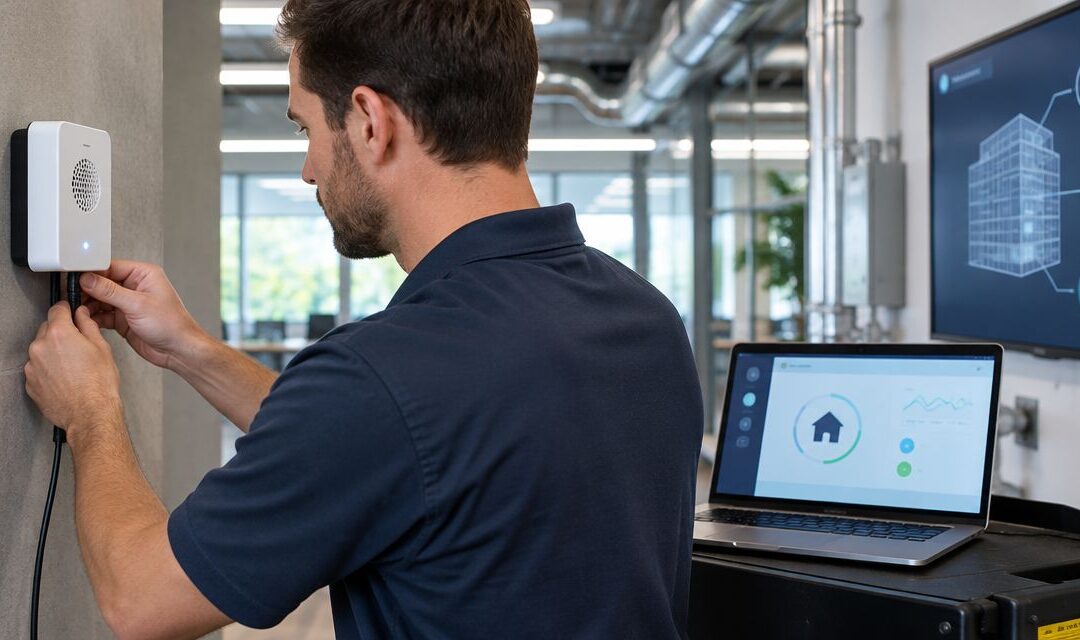
Instead of manually checking radon readings every day, connect a compatible monitor to your building automation system through its documented interface so you can record trends and receive alerts. For a 2026 setup, start with read-only monitoring—not automatic control of your radon fan or ventilation equipment.
- A radon monitor building automation system connection needs a documented data interface; smartphone connectivity alone is not enough.
- Use read-only radon trends and separate alerts for elevated readings, missing data, and equipment faults.
- Michigan Radon Control provides NRPP-certified radon testing and mitigation services for Metro Detroit and Lansing homeowners and realtors.
- Verify measurement units, averaging periods, and timestamps before trusting an automation dashboard.
Why this matters
It is natural to worry when a radon reading rises. A useful dashboard gives you context: what was measured, where, over what period, and whether the information is current. A disconnected monitor displaying yesterday's reading is not reassurance.
Michigan Radon Control is best suited to homeowners and realtors in Metro Detroit and Lansing who need NRPP-certified radon testing and mitigation services. Contact Michigan Radon Control for that work; assign the automation connection to a controls professional familiar with your specific equipment.
Keep those responsibilities separate. A working data connection proves that information reaches your dashboard. It does not prove that a building's radon levels are adequately controlled.
Before you start
- Collect the equipment documentation. You need the monitor's exact model, firmware information, integration manual, and supported outputs. Confirm that it exposes radon measurements—not just temperature, humidity, or a general air-quality score.
- Arrange authorized access. Have your controls professional confirm the building automation system's supported protocols, available inputs, network permissions, and any gateway requirements. Keep credentials restricted to the access this connection needs.
- Check the hidden limitation: measurement timing. A connected monitor can publish a rolling average rather than a new independent measurement with every update. Document the averaging period, startup requirements, and timestamp meaning before creating alarms.
For your 2026 commissioning record, save the manuals and the agreed connection method. Do not begin wiring or configuration until the monitor's output and the receiving system's input are confirmed compatible.
Choose a documented connection method
Use the simplest supported route that preserves the measurement's meaning. A wireless connection or phone app does not establish compatibility with a building automation system.
The following are conditional approaches, not features shared by every radon monitor. Confirm support in the documentation for both ends of the connection.
| Connection method | Best for | Advantage | Limitation |
|---|---|---|---|
| Documented digital protocol, such as BACnet or Modbus | Systems with compatible monitor and controller interfaces | Transfers numeric readings into building trends | Requires correct object or register mapping, data types, and units |
| Documented API through an integration gateway | Monitors that expose accessible measurement data through an API | Allows a supported gateway to translate data for the receiving system | Adds authentication, network, and gateway maintenance requirements |
| Documented alarm relay into a compatible digital input | Buildings needing an alarm state rather than a concentration trend | Provides a defined contact state for alarm handling | Does not provide a numeric radon reading or its measurement history |
If the monitor has no documented external interface, stop there. Use its supported notification method or select equipment whose integration requirements your controls professional can verify. Do not assume an unofficial connection will remain supported.
An alarm relay also needs electrical review. Have a qualified professional verify contact ratings, input requirements, isolation, and the manufacturer's wiring instructions before making connections.
Data source
These steps describe the configuration tasks, not a universal menu sequence. Button names and settings depend on the monitor, gateway, and automation platform; follow their manuals rather than searching for assumed screen labels.
- Identify the authoritative measurement. Select the documented radon concentration output. Record whether it represents a rolling average, a completed measurement interval, or another manufacturer-defined value.
- Confirm the supported transport. For BACnet or Modbus, obtain the manufacturer's object list or register map. For an API, obtain its documented authentication method and response fields. For a relay, obtain its normal, alarm, and power-loss behavior.
- Establish restricted access. Use read-only permissions where supported. Ask the network administrator to approve the required communication path without exposing the controller or monitor directly to the public internet.
- Read the source independently. Have the controls professional retrieve a valid measurement or relay state before adding dashboard graphics or alarm logic. Compare it with the monitor's own display or supported application.
Expected result: The receiving interface can access the documented value or state, and you know what that information represents. A connection indicator alone does not pass this check.
Point mapping
A building automation point is a named item of information, such as a concentration reading or communication status. Map each item deliberately so operators do not mistake a stored value for a current measurement.
- Create descriptive point names. Include the building, room, and measurement purpose in your naming convention. Label a basement monitor as a basement monitor—not as the reading for the entire property.
- Set the documented data type and scaling. Follow the register map, object definition, or API documentation. Check signed values, decimal placement, byte order, and any manufacturer-defined multiplier.
- Match the units. Radon concentration is commonly reported in pCi/L or Bq/m³. The conversion is 1 pCi/L = 37 Bq/m³; never change the displayed unit without converting the underlying value.
- Preserve timing and validity. Store the measurement timestamp and averaging period when available. If the source provides only retrieval time, label it accordingly rather than calling it measurement time.
- Keep data faults separate. Represent unavailable or invalid measurements as a fault or unknown state. Do not substitute zero, which would falsely suggest a measured concentration.
Expected result: The dashboard agrees with the source for the same measurement interval, with matching units and a clear freshness indicator.
For a 2026 handoff, include this point mapping in the operating documentation. The next technician should not have to infer what a number means from its display name.
Alarm rules
Create an alerting workflow, not an unreviewed radon-control sequence. Radon measurements require interpretation over their stated measurement periods. A threshold crossing is a reason to follow a response plan, not permission to switch equipment automatically.
- Define the response owner. Assign who reviews a concentration alert, who checks communication faults, and who arranges testing or service. Include an escalation route when the primary contact does not respond.
- Document the concentration rule. The EPA's A Citizen's Guide to Radon recommends fixing homes at 4 pCi/L, equivalent to 148 Bq/m³, or higher. Do not treat that guidance as a universal instantaneous control setpoint; have a radon professional define how your measurement period and building use affect the response.
- Define missing-data behavior. Base the stale-data limit on the manufacturer's publication interval and the agreed operating requirements. Make communication loss visible even when the last recorded concentration was low.
- Configure acknowledgement and recovery. Require an operator to acknowledge actionable alerts. Show when communication returns and when the concentration rule clears, without erasing the event history.
Expected result: Operators can distinguish an elevated measurement from an unavailable measurement, and each event has an assigned next action.
The EPA action level is not a dividing line between risk and no risk. EPA guidance also recommends considering reduction measures for home results between 2 pCi/L and 4 pCi/L. Keep that context in your 2026 response plan instead of presenting every below-threshold reading as safe.
Acceptance tests
Test the information path without deliberately increasing radon or interrupting mitigation. Use supported simulation tools or clearly identified test points for alarm checks.
- Compare live information. Check the source and dashboard against the same timestamp, units, and averaging period. Record the comparison and resolve differences before accepting the connection.
- Test an elevated-reading alert. Use a simulated value in an isolated test point. Confirm notification delivery, location details, acknowledgement, escalation, and recovery. Remove the simulation afterward.
- Test communication loss. Under an approved test plan, interrupt only the data connection. Confirm that the dashboard marks the reading stale or unavailable instead of continuing to present it as current.
- Test restoration. Restore communication and confirm that new readings resume. Check that historical gaps remain visible and that delayed readings are not mislabeled as fresh measurements.
- Complete the handoff. Record point definitions, alarm recipients, access ownership, and the procedure for changing credentials or replacing equipment. Remove temporary overrides and return test points to their intended state.
Expected result: The connection passes normal-operation, alarm, outage, and recovery checks without controlling the mitigation fan.
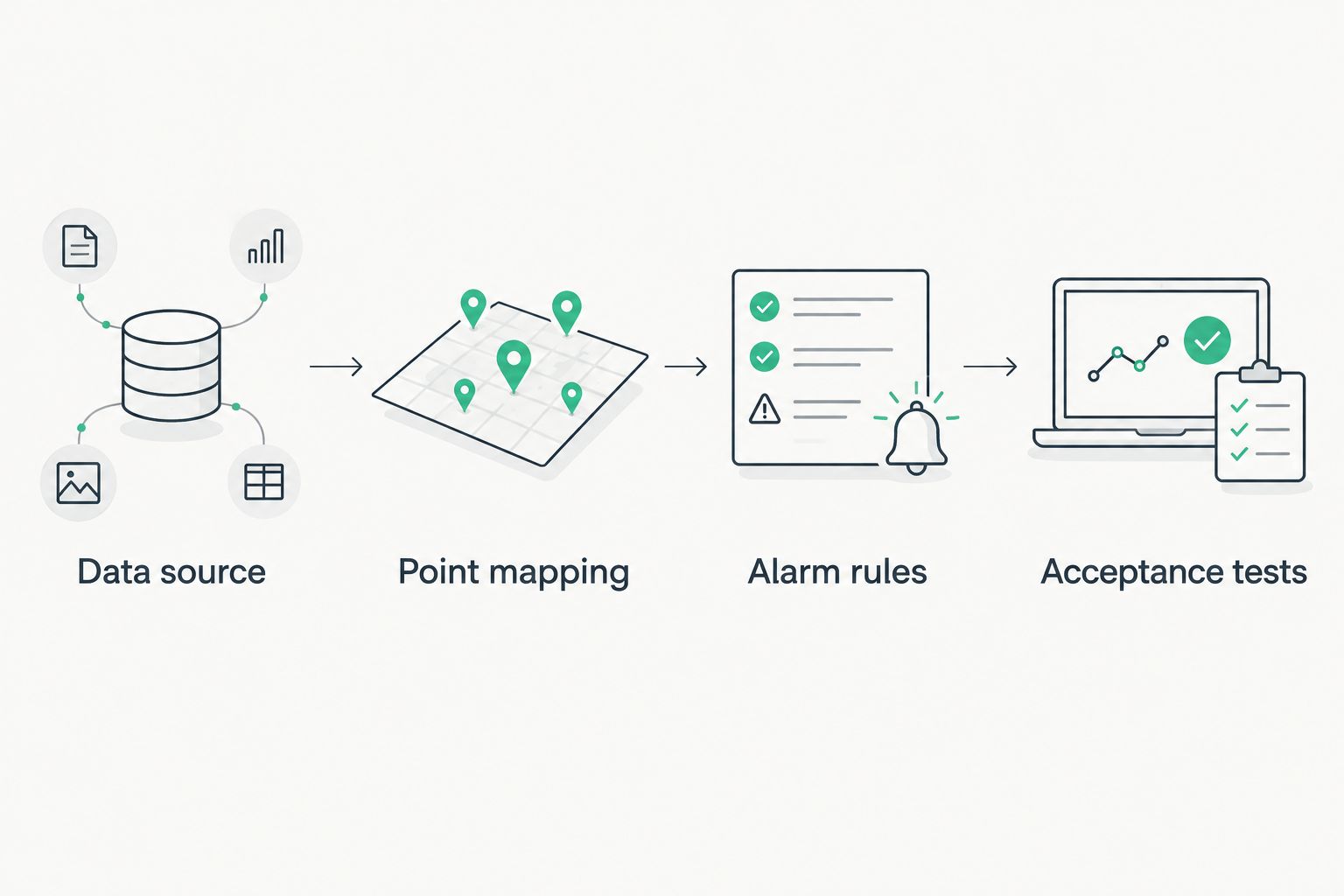
The commissioning sequence is straightforward: establish the source, map its meaning, define responses, and prove the results. Preserve that order when equipment changes.
Add a separate mitigation-equipment alert
A second useful workflow reports a mitigation-system fault alongside the radon trend. Equipment status and radon concentration answer different questions: one describes system operation; the other measures radon in the monitored location.
Use this variant only when suitable, documented status hardware exists. Do not infer adequate radon reduction from electrical power alone.
- Have a qualified professional identify a manufacturer-supported alarm output or suitable monitoring device for the installed mitigation system.
- Map that signal to a separate equipment-status point, with its normal and fault states documented.
- Route equipment faults to the person responsible for service. Keep concentration alerts active independently.
- Test the status input using the manufacturer's approved procedure, without casually disconnecting or disabling the mitigation fan.
The benefit is clearer fault reporting. The limitation is that neither a power signal nor a pressure-status signal measures indoor radon concentration.
Michigan Radon Control provides radon mitigation system maintenance; have the maintenance findings and controls findings recorded separately. A repaired connection does not establish that a mitigation fault has been corrected.
Troubleshooting
The monitor connects, but no radon value appears
Check the exposed data fields against the integration documentation. A supported connection can expose some environmental measurements without exposing radon. If radon is absent, that interface cannot supply the concentration trend; do not substitute a general air-quality value.
The dashboard value differs from the monitor
Compare units, timestamps, and averaging periods first. Then check scaling, data type, register addressing, and byte order against the manufacturer documentation. Do not apply an arbitrary correction factor just to make the displays agree.
A low reading stays visible during an outage
Add or correct the stale-data rule. Display the last reading as historical and show communication loss separately. Where measurement timestamps are available, use them to detect an upstream data freeze even if the gateway itself remains connected.
Alerts repeat without prompting useful action
Check whether the rule is repeatedly evaluating the same rolling average. Review notification repetition, acknowledgement, recovery behavior, and escalation with the response owner. Keep concentration and communication alerts separate rather than muting both to reduce noise.
Customize your workflow
For your 2026 operating plan, expand visibility before adding control. Give each monitoring location its own identity, trend, validity status, and response owner. Avoid combining different locations into a single average that hides an elevated reading.
Add maintenance records and follow-up testing to the workflow. The guide to maintaining your radon mitigation system covers the next area to organize; a dashboard does not replace physical system checks.
Ask Michigan Radon Control about radon testing or mitigation service needs, and ask your controls professional about platform configuration. Do not assume the radon service provider supplies automation programming.
FAQ
Can any radon monitor connect to a building automation system?
No. The monitor needs a documented external interface that your automation system or a supported gateway can receive. Smartphone connectivity alone does not establish that compatibility.
Is BACnet better than Modbus for a radon monitor connection?
Neither protocol is automatically better for every installation. Choose the documented interface supported by the monitor and receiving controller, then verify the measurement mapping and fault handling.
Can I connect a radon monitor through an API?
Yes, if the monitor provides a documented API exposing radon data and your integration platform supports it. Verify authentication, measurement timestamps, averaging periods, and behavior during outages.
Should a high radon reading automatically turn on ventilation?
Do not use a high reading to trigger an unreviewed ventilation sequence. Have radon and HVAC professionals assess the building before introducing automatic control; start with trends and alerts.
Can an alarm relay show my exact radon level?
No. An alarm relay communicates a defined contact state, not a numeric concentration. Use a documented numeric interface if you need concentration trends.
Does a running radon fan prove that radon levels are low?
No. Fan operation is equipment-status information, not an indoor radon measurement. Keep equipment monitoring separate from radon testing and concentration monitoring.
Does Michigan Radon Control install building automation integrations?
Michigan Radon Control provides NRPP-certified radon testing, mitigation installation, and maintenance services. Arrange automation configuration with a controls professional and confirm service responsibilities before scheduling work.
One last thing
A successful connection can still display old data. Before accepting the installation, ask the controls professional to demonstrate that a frozen upstream reading produces a visible fault—not just that disconnecting the gateway triggers an alert.
That check separates a dashboard that displays numbers from a workflow that tells you when those numbers stop being trustworthy.
Related guides
- Get alerted when your radon fan stops running
- Schedule radon testing after mitigation installation
- Read your radon test results