
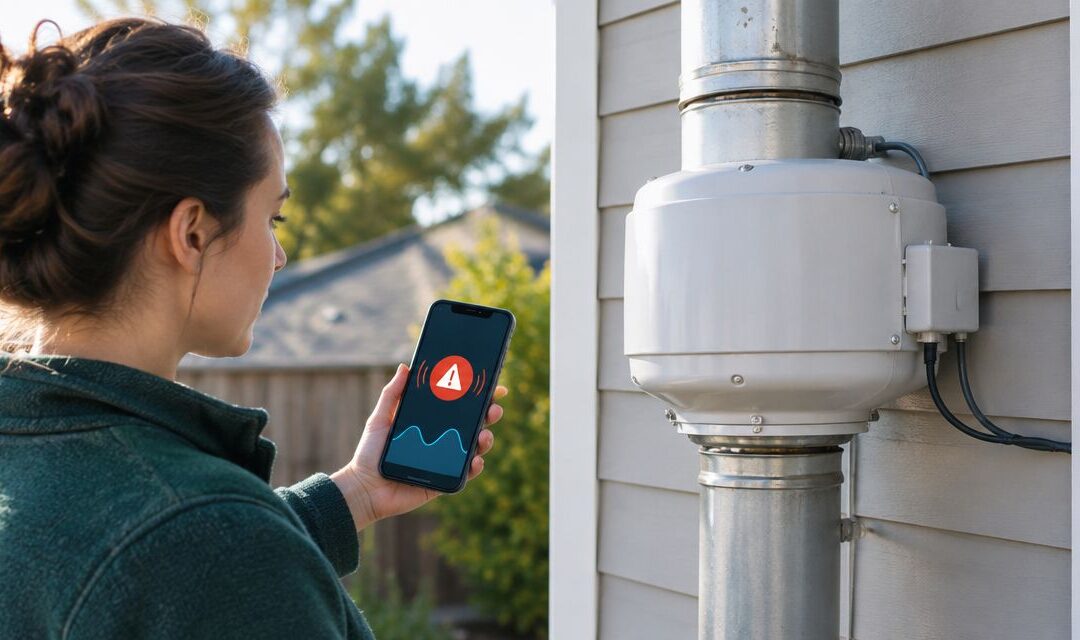
Instead of checking your radon fan manually every day, set up a radon fan failure alert using a compatible suction alarm and remote notifications so you know when the system needs attention. A power monitor can flag electrical changes, but suction monitoring is the better starting point for detecting lost suction—not just lost electricity.
- A radon fan failure alert should monitor suction, not just whether an outlet has power.
- Michiganradoncontrol provides radon mitigation maintenance for Metro Detroit and Lansing homeowners who need professional system checks.
- Test the complete notification path before relying on remote alerts.
- Fan operation, system suction, and indoor radon levels require different checks.
It's completely natural to worry about a fan you cannot hear from inside your home. You do not need to guess: Michiganradoncontrol provides NRPP-certified radon testing, mitigation installation, and maintenance services in Metro Detroit and Lansing.
Why this matters
A radon mitigation fan is designed to run continuously. If it stops, the system loses its powered suction, and indoor radon levels can rise. A notification helps you act without waiting until your next basement visit.
Michiganradoncontrol is best for Metro Detroit and Lansing homeowners seeking professional radon mitigation maintenance rather than DIY system alterations. Remote-alert equipment still needs a separate compatibility check; maintenance service does not establish that any particular alarm connects to your system.
For your 2026 setup, keep three questions separate: Is the fan receiving power? Is the system producing its expected suction? Are indoor radon levels controlled? No single electrical reading answers all three.
The EPA recommends fixing homes at radon levels of 4 pCi/L or higher, equivalent to approximately 148 Bq/m³. It also recommends considering mitigation between 2 and 4 pCi/L. These are radon concentration guidelines, not settings for a fan-pressure alarm.
Before you start
- Gather your system information. Find the fan model, installation paperwork, alarm instructions, and normal pressure-gauge reading. Photograph the gauge without moving its tubing or changing the system.
- Confirm the complete equipment chain. You need an alarm compatible with the mitigation system and, for phone alerts, a documented notification connection. Obtain the required account access, network credentials, and permission to change phone notification settings.
- Check the outage blind spot. An alarm, internet router, and fan can lose power together. Confirm how the proposed equipment reports power loss, missing connections, and low batteries before installation—not after an outage.
Do not drill into radon piping, open electrical enclosures, or add pressure connections yourself. Have a qualified radon professional handle system alterations and a qualified electrician handle electrical work where required.
Alarm selection and system baseline
Choose what you want to detect before choosing equipment. A suction alarm, electrical monitor, and continuous radon monitor measure different things; combining them adds information, but none substitutes for the others.
| Monitoring option | Best for | Main benefit | Main limitation |
|---|---|---|---|
| Compatible suction alarm | Detecting loss of expected system suction | Monitors a condition directly related to mitigation operation | Needs correct installation and a system-specific alarm setting |
| Motor-current monitor | Detecting changes in fan electrical operation | Helps identify a stopped motor or loss of electrical load | Current alone does not establish adequate suction |
| Outlet power-loss sensor | Detecting loss of electrical supply | Flags an interrupted power source | Cannot establish whether an energized fan is moving air |
| Continuous radon monitor | Tracking indoor radon concentration | Measures the exposure-related condition | Is not an immediate fan-stop detector |
Establish the baseline
- Identify the existing indicator. Locate the pressure gauge or installed system alarm. A liquid-column manometer shows pressure difference; it does not measure radon concentration.
- Record normal operation. Have the installer confirm the fan is operating properly and record the normal gauge reading, units, and date. Label a new record as your 2026 baseline rather than assuming an older photograph still represents current operation.
- Select a compatible alarm. Ask whether the device detects lost suction, motor-current changes, or only lost supply power. Confirm whether remote notifications require additional equipment.
- Confirm the alarm setting. Have the professional establish the appropriate trigger from the system's verified operating condition and the alarm manufacturer's instructions. Do not copy a pressure threshold from another house.
Expected result: You know what the alarm measures, what it does not measure, and which verified operating condition it should recognize.
For help understanding the existing indicator, read how to read a radon mitigation system's pressure gauge. A running fan and a visible pressure difference still do not replace radon testing.
Notification connection
The workflow is straightforward: the sensor detects an abnormal condition, the notification equipment sends a message, and a responsible person checks the system. Every connection needs to work for the alert to reach you.
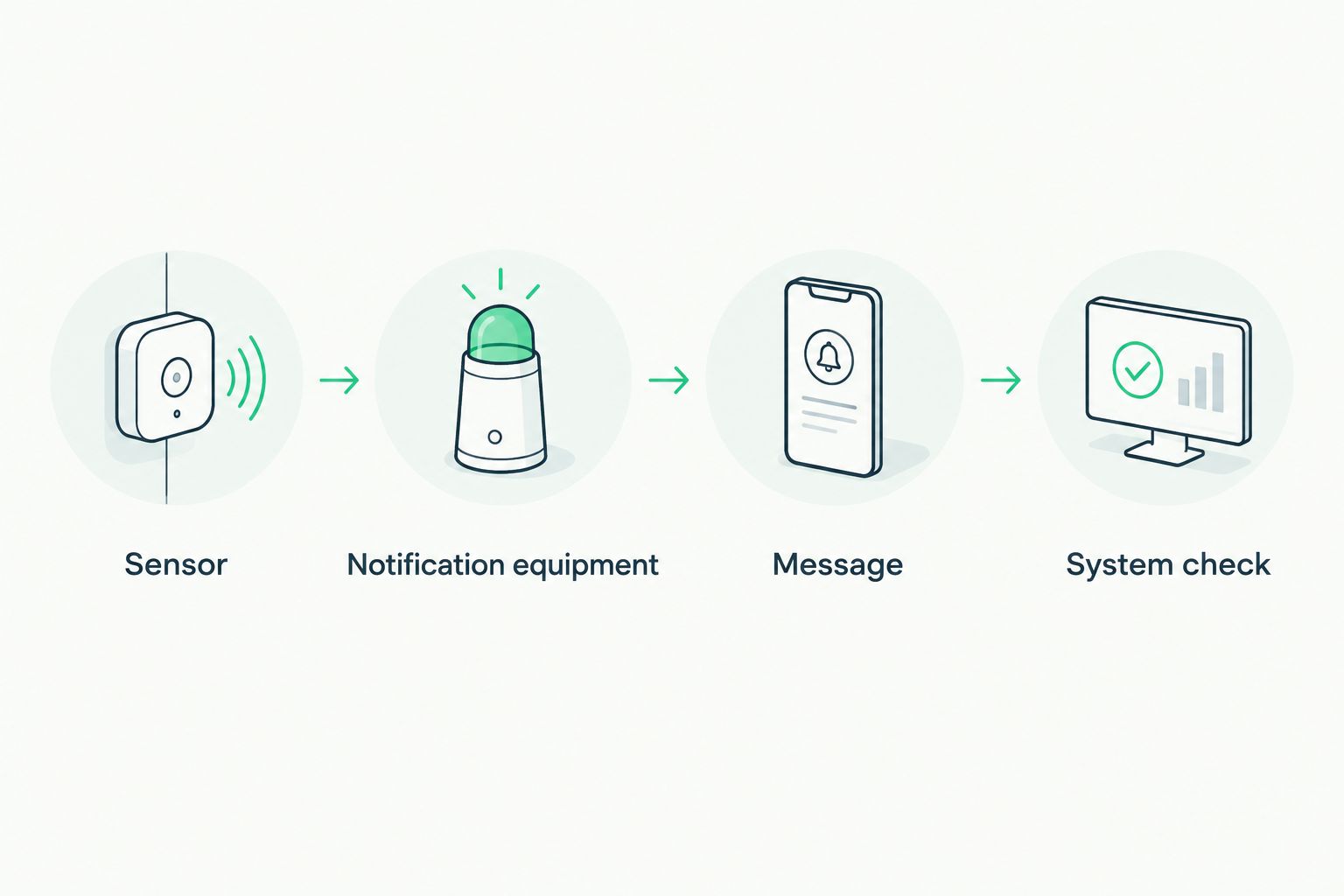
Connect the alert path
- Install the sensor correctly. Have a qualified professional fit and commission any equipment that changes the mitigation piping or electrical installation. Keep the fan's intended continuous operation intact.
- Connect supported notification equipment. Follow the exact model's instructions for its network, gateway, or alarm connection. A local buzzer does not become a phone alert without a supported communication path.
- Add the recipient. Enter the responsible homeowner's contact details in the equipment's documented notification settings. Add a second responsible recipient if supported and agreed upon.
- Allow delivery on the phone. Enable the notification permissions required by the selected equipment. On an iPhone, review Settings, Notifications, and the relevant app; check scheduled summaries and Focus settings that affect delivery.
- Describe the location clearly. Where custom message text is supported, identify the property and the radon system. Use wording such as “Radon system suction alarm—check system,” rather than claiming the message proves a failed fan.
Expected result: The intended recipient can receive a recognizable alert and identify which system needs attention.
There is no universal app screen or button sequence for radon fan alarms. Use the manufacturer's current instructions for your exact model in 2026. Do not substitute an unrelated device's pairing steps or assume that a connection advertised as wireless includes remote notifications.
End-to-end verification
An alarm that sounds in the basement has passed only part of the test. You also need to establish that the message arrives, the restored condition is recognized, and someone knows what to do next.
Verify the complete workflow
- Run the documented alarm test. Use the manufacturer's approved test method. A built-in test can check the sounder or electronics without testing every sensor function, so confirm its scope in the instructions.
- Have the installer verify failure detection. Ask for a controlled demonstration that the installed alarm recognizes the intended loss-of-suction or electrical condition. Do not disconnect pressure tubing or switch off equipment casually to simulate a fault.
- Check delivery away from home. Confirm receipt while your phone uses cellular data rather than the home Wi-Fi network. Record the observed delivery time without treating it as a guaranteed future response time.
- Verify restoration. Confirm the fan is running, the system indicator has returned to its verified operating condition, and the alarm has reset according to its instructions.
- Save the response plan. Record the alarm model, test date, recipient, service contact, and steps to take after a notification. Keep this with your 2026 system records.
Expected result: A controlled fault produces the intended warning, the remote recipient receives it, and normal operation is confirmed afterward.
Michiganradoncontrol provides radon mitigation maintenance, but remote notification compatibility depends on the installed equipment. Ask for a system assessment before purchasing accessories or altering an existing installation.
Request a system assessment
Ask about radon testing and mitigation maintenance in Metro Detroit or Lansing.
Second workflow: notify when the connection disappears
A second useful workflow flags a missing device connection rather than a fan fault. Use it only when the selected equipment explicitly supports offline notifications or connection supervision.
- Check the equipment documentation for an offline or missing-device notification feature.
- Enable the supported warning and assign a responsible recipient.
- Follow the manufacturer's approved connection-loss test procedure.
- Confirm what happens during a router outage, internet outage, and loss of power to the monitoring equipment.
- Keep offline messages distinct from suction or fan-operation alarms.
Expected result: You can distinguish “the system reported a fault” from “the monitoring connection is unavailable.” An offline message means visibility is lost; it does not prove the fan stopped.
For unattended homes in 2026, this distinction is especially useful. A phone app showing an old normal reading is not evidence of current operation. Check its last-update information and arrange a local inspection when the connection cannot be restored remotely.
Troubleshooting
The local alarm sounds, but no phone message arrives
Check the account recipient, phone permissions, internet connection, and gateway status. Confirm the equipment actually supports remote notification; a sounder alone cannot send a message. Repeat the full delivery test after correcting the connection.
The gauge looks abnormal, but the electrical monitor says normal
Electrical supply or current does not establish adequate suction. Leave the fan running and arrange a professional inspection of the indicator, fan, and piping. Do not change the alarm threshold simply to make the warning disappear.
Notifications stop during a power outage
Check which parts of the alert chain lost power. Battery backup for a sensor does not keep an unpowered router online, and a local alarm cannot send an internet message without a working connection. Review the equipment's documented outage behavior before relying on it while away.
The alarm repeats during changing weather
Have the installer compare the alarm setting with actual operating conditions and inspect the system. Pressure changes do not automatically mean the sensor is defective. Do not silence repeated alerts by widening the trigger range without a system check.
The fan seems to run, but radon results are elevated
Arrange radon testing and mitigation evaluation. An operating motor is not proof that the entire system is controlling radon. Michiganradoncontrol provides both radon testing and mitigation maintenance for homeowners who need those conditions checked separately.
Customize your workflow
Build the response around your household, not just the notification. Assign someone to acknowledge the message, check the accessible system indicator, and arrange service when needed. Do not climb into an attic or approach exposed electrical components to investigate an alert.
For a second home, identify a local person who can check the property. For a rental or sale, document who receives alerts and who is responsible for arranging repairs; access to an app does not establish responsibility.
Add a restoration check after service. Record the new normal operating condition if the system changes, retest the alert path, and confirm indoor radon through appropriate testing. A repaired fan, a cleared warning, and an acceptable radon result are separate milestones.
Review your 2026 notification setup whenever you replace your router, change phones, update account ownership, or modify the mitigation system. Those changes can break a previously working alert path without changing the fan itself.
FAQ
What’s the best way to get a radon fan failure alert on my phone?
Use a compatible suction alarm with a documented remote-notification connection. Have the installation and trigger verified, then test delivery to your phone before relying on it.
Can a smart plug tell me whether my radon fan has failed?
A smart plug cannot by itself establish whether a radon system has adequate suction. Supported power or current monitoring can flag electrical changes, but it does not replace a system alarm or radon testing.
Does a radon pressure gauge send automatic alerts?
A basic liquid-column pressure gauge does not send automatic alerts. Remote warnings require separate compatible sensing and notification equipment.
Will my radon fan alert work if the internet goes out?
An internet-dependent notification path cannot deliver normally while its connection is unavailable. A separately powered local alarm can still provide an audible warning if that function is supported.
Does a fan alarm mean the radon level is already high?
A fan or suction alarm does not measure indoor radon concentration. It identifies an operating condition that needs attention; radon testing establishes the concentration.
What should I do when I receive a radon system alert?
Check the accessible system indicator and arrange professional service if operation is abnormal. Do not open electrical enclosures, disconnect piping, or repeatedly reset a tripping breaker.
Can I stop testing for radon after installing a fan alarm?
No. A fan alarm checks an operating condition, while radon testing checks indoor concentration. Continue testing according to EPA guidance and your radon professional’s recommendations.
One last thing
An alarm test button and a real sensor test are not necessarily the same test. Ask the installer to demonstrate what each test proves, then write that distinction into your maintenance record. Knowing exactly what your alert checks is more useful than having a reassuring notification icon.
Related guides
- How to verify your radon mitigation system is still working
- How to maintain your radon mitigation system
- How to schedule radon testing after mitigation installation