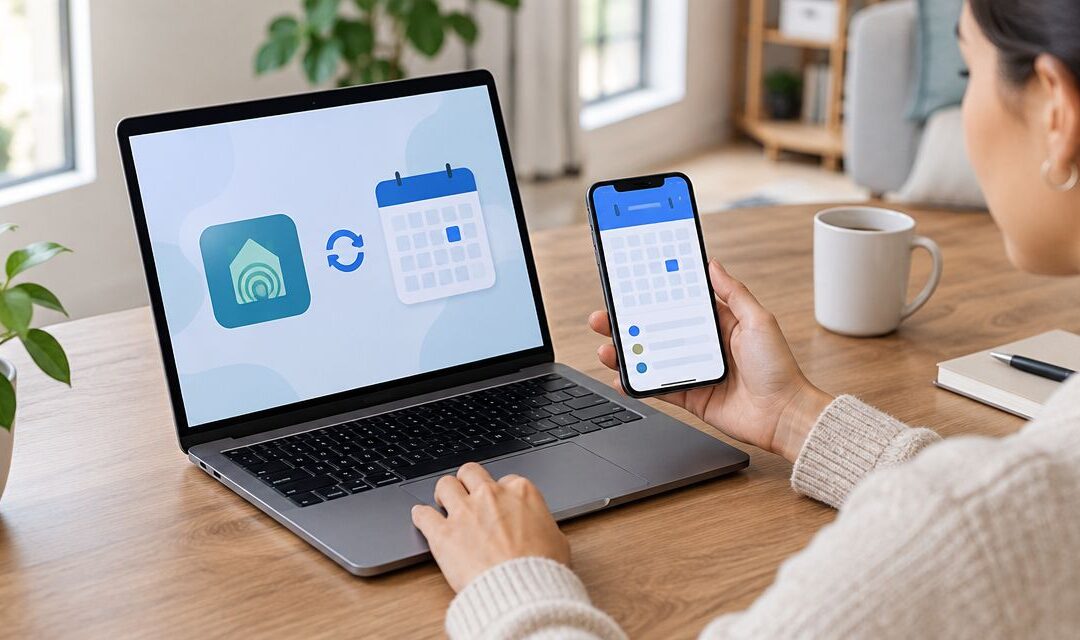
Missing a radon test because nobody remembered to close the basement windows the night before is the single most avoidable reason a Michigan homeowner has to pay for a retest. Pull your Michigan Radon Control appointment into Google Calendar the day you book it, set reminders around the 12-hour closed-house window, and you never lose a test to a forgotten detail again.
- Radon test scheduling google calendar setup takes under five minutes once you have your Michigan Radon Control confirmation in hand.
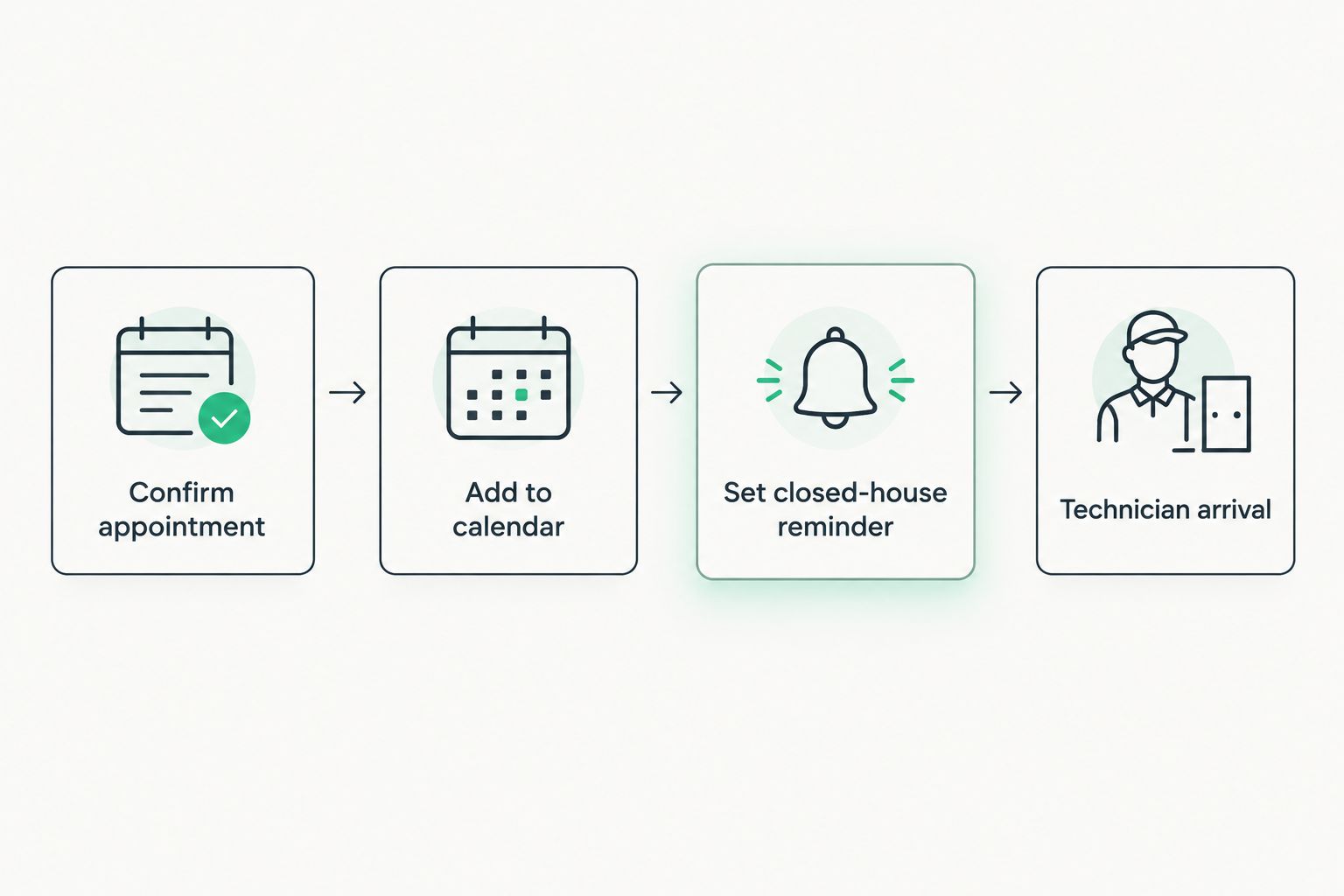
- Set two Google Calendar reminders: one 12 hours before the closed-house window starts, one for technician arrival.
- Real estate agents booking for clients should add buyer, seller, and listing agent as guests on the same calendar event.
- Post-mitigation retests need their own calendar entry — don’t reuse the original test event.
- A missed closed-house window is the most common reason Michigan homeowners have to pay for a second radon test in 2026.
Why this matters
A short-term radon test only works if the house stays closed for the full 48-hour period, plus the 12 hours before it starts. Open a window, run the whole-house fan, or prop a basement door for the dog, and the lab result stops reflecting your actual radon level.
Homeowners and Michigan Radon Control don't control what happens between the appointment being booked and the technician showing up — that's on you. A calendar event with the right reminders closes that gap. For real estate agents juggling five closings in a month, the same setup keeps every property's test window straight without a spreadsheet.
Before you start
- A Google account with Calendar enabled and the confirmation email or text from Michigan Radon Control listing your appointment date, time window, and property address.
- The property address confirmed in advance if you're a realtor or property manager booking on behalf of a client — editing the location field after the fact is a common source of missed appointments.
- The gotcha: radon tests require closed-house conditions starting 12 hours before the test begins, not just during the 48-hour test itself. If you only calendar the appointment start time, you'll forget to close windows and exterior doors the night before, and that single miss can invalidate the entire result.
Set up your appointment event
- Open Google Calendar and click Create in the top left.
- Set the title to something specific: "Radon test – [property address]" rather than just "Radon appointment." You'll thank yourself when scanning a busy week.
- Enter the date and time window from your confirmation in the Date & time field.
- Add the property address in the Location field — this lets Google Calendar surface a map link automatically.
- If a buyer, seller, or agent needs to know about the appointment, add their email under Guests.
- Click Save.
Expected result: the event appears on your calendar with the address attached and any guests notified by email.
If your confirmation email arrived through Gmail, check for the automatic event chip Gmail sometimes generates under the subject line when it detects a date and time — clicking it pre-fills a Google Calendar event you can edit and save directly, skipping steps 1 through 4.
Add closed-house window reminders
- Open the event you just created and click the pencil Edit icon.
- Under Notification, click Add notification.
- Set the first reminder for 12 hours before the appointment start time, labeled something like "Close windows and exterior doors now."
- Add a second notification for the morning of the appointment as a plain arrival reminder.
- Click Save.
Expected result: two separate notifications fire before the test — one that protects the test conditions, one that gets you (or whoever is home) ready for the technician.
Before the appointment, walk through what "closed" actually means for a radon test — the details matter more than most homeowners expect. The guide on how to prepare your basement for a radon test covers exactly which doors, windows, and fans need to stay untouched during the window your calendar reminder is protecting.
Scheduling the post-mitigation retest
If a mitigation system was just installed, the retest is a separate appointment with its own closed-house rules — don't try to reuse the original test's calendar event. Create a new one following the same two steps above: title it clearly ("Radon retest – post-mitigation"), and set the same 12-hour closed-house reminder.
The timing for this retest differs from a pre-purchase test, and getting it wrong wastes both the appointment and the mitigation system's first chance to prove itself. The full breakdown of when to book is in how to schedule radon testing after mitigation installation.
Michigan Radon Control homeowners who skip this second calendar entry are the ones most likely to call back in three months asking why their radon levels still show as unverified on paperwork — a five-minute event fixes that.
For real estate agents: one calendar, multiple properties
Agents booking radon tests across several listings in the same month should use a dedicated color for radon test events inside Google Calendar's color-coding system, separate from showings and closing dates. Add both buyer and seller as guests on the event so nobody shows up to a locked house or misses a reschedule notice.
Verdict: agents managing more than two active radon appointments at once should color-code by property, not just by date — a shared calendar color makes radon deadlines visible at a glance during a busy closing week.
Troubleshooting
- Event shows the wrong time zone. Michigan runs on Eastern Time year-round for scheduling purposes — if the event was created from a phone set to a different zone, edit the event and manually confirm the time zone field before saving.
- Reminder notification never fired. Check that calendar notifications aren't muted at the phone's OS level; Google Calendar reminders depend on the app having notification permission, which some phones disable by default after an update.
- Appointment got rescheduled but the old reminders stayed active. Delete the original event entirely rather than just editing the date — duplicate reminders from a stale event are a common source of confusion during closing week.
- Multiple guests, one confused about the address. Re-check the Location field after any reschedule; guests added before an address correction don't automatically see the update unless the event is re-saved.
- Appointment window overlaps a closing date. Flag this the moment you book, not the week of — radon test results and mitigation retests both need lead time before a closing, and a Google Calendar conflict warning at booking time is easier to fix than one three days out.
Book your radon appointment first
Get a test or mitigation date on the books, then calendar it.
What to do next
Once the calendar habit is set, extend it. Homeowners selling a property should look at the full radon disclosure and testing timeline for Michigan closings before setting any calendar dates, since a test booked too close to closing can create scheduling pressure on both sides. Agents handling multiple radon-sensitive closings in the same season benefit from the same calendar system applied consistently across every listing, not just the one giving them trouble this week.
FAQ
Can I add my radon test appointment to Google Calendar automatically?
Gmail sometimes auto-detects a date and time in a confirmation email and generates a clickable event chip you can save directly to Google Calendar. If no chip appears, create the event manually using the date, time, and address from your confirmation.
What time should I set my closed-house reminder for?
Set it 12 hours before the test start time listed in your confirmation. Michigan radon tests require closed-house conditions for that full 12-hour period before the 48-hour test begins.
Is radon test scheduling google calendar setup different for a mitigation retest?
Yes — create a separate calendar event for the retest rather than editing the original test appointment. The retest has its own closed-house window and timing relative to when the mitigation system was installed.
How much does a radon test cost in Michigan in 2026?
Pricing varies by property type and testing method, so check current options directly with a certified provider rather than relying on a fixed figure.
Should real estate agents share the calendar event with buyers and sellers?
Yes — adding both parties as guests on the same Google Calendar event keeps everyone aligned on the test window and reduces last-minute rescheduling during a closing.
What happens if the closed-house window gets broken during the test?
A broken closed-house condition, such as an opened window or running whole-house fan, can invalidate the test result and require a full retest starting a new 48-hour cycle.
Does the appointment reminder need to include the technician’s arrival window?
Set a separate reminder for technician arrival apart from the closed-house reminder — the two happen at different times and serve different purposes.
Can I use Google Calendar to track radon retests for multiple properties?
Yes — color-coding radon events separately from showings and closings makes it easier to track multiple properties’ test windows in the same month.
One last thing
The reminder that actually prevents a failed test is the 12-hour one, not the day-of one — most homeowners remember the appointment itself just fine and forget the closed-house prep the night before. Set that single reminder correctly in 2026 and the rest of the calendar workflow is just bookkeeping.
Related guides
- Radon testing guidance for Michigan real estate agents
- Best radon testing companies for real estate closings in Michigan