
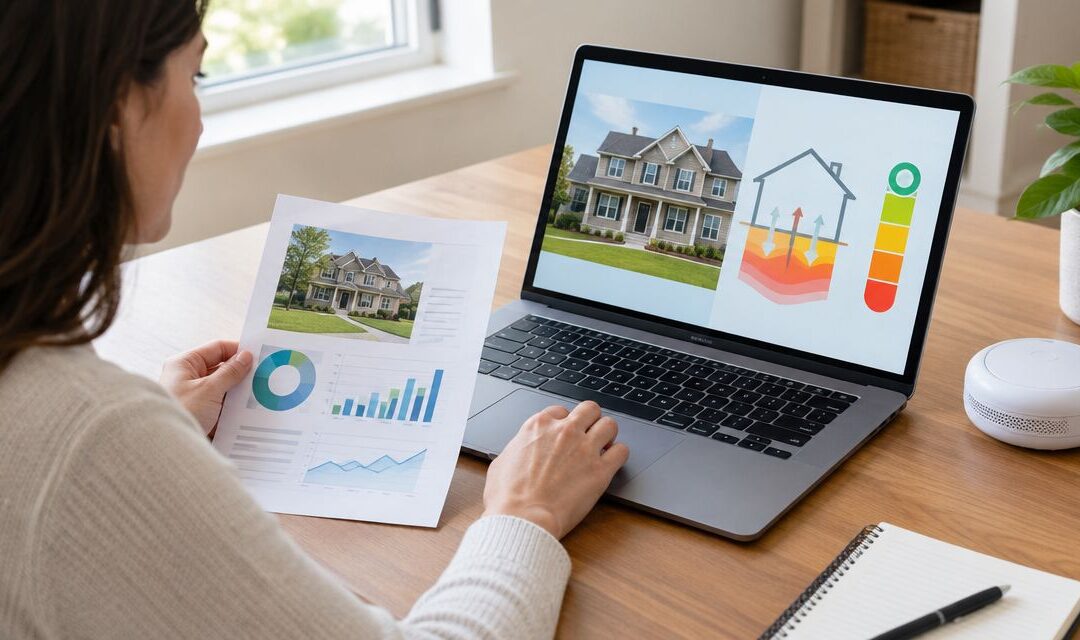
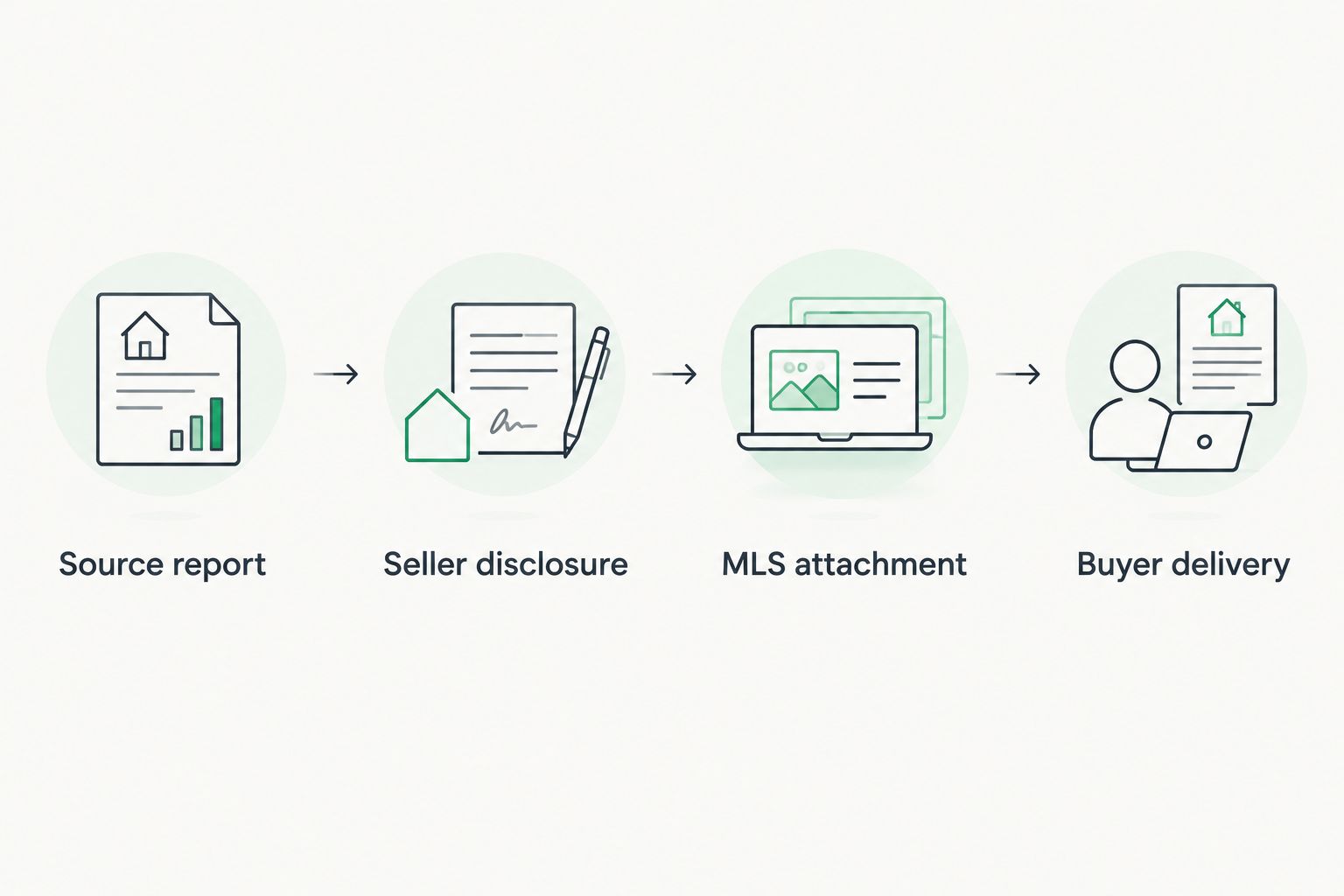
Instead of retyping radon results into emails and listing notes, connect the complete test report to your seller disclosure and the MLS’s permitted document area, then verify buyer-side access. This workflow keeps the measured result, testing dates, and mitigation history consistent without treating an MLS upload as a substitute for disclosure delivery.
- Radon test results MLS listing disclosure starts with the complete report, not a screenshot or a passing label.
- Michigan Radon Control provides NRPP-certified radon testing and mitigation for Metro Detroit and Lansing homeowners and realtors.
- Keep the seller disclosure, MLS documents, and buyer delivery record consistent.
- Preserve earlier results when adding mitigation records and a follow-up test.
Why this matters
It’s natural to worry that a radon result will complicate your sale. A clear document trail gives buyers facts instead of leaving them to interpret an unexplained number.
For a 2026 listing, treat the test report as the source document. Copy its result and units accurately, and keep its testing dates attached to every summary. Start with how to read your radon test results if the report’s averages or notes are unclear.
An MLS attachment supports disclosure; it does not replace the seller’s disclosure statement or proof of delivery. These records serve different purposes, even when they contain overlapping information.
Michigan’s statutory seller disclosure form addresses known environmental hazards, including radon gas. Have your listing broker review how the known facts fit the applicable form; obtain legal advice for an exemption, disputed obligation, or unclear answer.
Before you start
- Gather the source documents. Have the complete final radon report, the applicable seller disclosure, and any mitigation installation or follow-up testing records. Confirm that the report identifies the correct property.
- Confirm access and responsibility. You need an authorized listing agent or broker with listing-edit permissions, plus access to the transaction’s approved document-delivery method. Homeowners should give documents to their agent rather than share MLS credentials.
- Check document visibility before uploading. Ask your broker which attachments are permitted, who can view them, and how buyers receive disclosures. An agent-only attachment is not proof that a buyer received it.
MLS interfaces differ. There is no universal radon upload button or field name, so follow your MLS’s current instructions rather than looking for a screen label that belongs to another system.
Source report preparation
Check the report before copying anything
- Open the final report supplied by the testing professional or laboratory. Use the complete document, including qualifications and test-condition notes.
- Match the property address to the listing. Resolve an incorrect address with the report issuer; do not edit the report yourself.
- Identify the reported average, measurement units, test location, and start and end dates. Copy the reported result rather than selecting a favorable hourly reading.
- Check whether the report identifies an invalid test, interrupted measurement, or conditions requiring further evaluation. Ask the issuer to explain an unclear conclusion.
- Save the original report in the transaction file. Give the working copy a descriptive filename containing the property identifier, test completion date, and document type.
Expected result: You have an intact report that clearly identifies what was measured, where, and when.
For this 2026 workflow, use EPA’s Home Buyer’s and Seller’s Guide to Radon for residential testing context. EPA recommends fixing homes at 4 pCi/L or higher and considering action between 2 and 4 pCi/L. A result below the action level does not mean zero risk.
EPA’s real-estate testing guidance also calls for short-term tests lasting at least 48 hours, with the appropriate testing conditions. Do not infer validity from duration alone; the report’s conditions and the measurement method matter.
Separate measurement from interpretation
A test result describes the measurement period. It is not a permanent guarantee about the home.
Avoid replacing the measured average with phrases such as radon-free, completely safe, or guaranteed to pass. If a summary is necessary, identify the test date, reported average, units, and whether mitigation occurred before or after that test.
Disclosure record configuration
Match the disclosure to the known facts
- Open the seller disclosure form your broker has confirmed applies to the transaction. Read the actual environmental-hazard question and its instructions before answering.
- Answer from the seller’s knowledge and available records. Do not treat an untested home as having a measured result of zero.
- Add a factual explanation or supporting attachment through the form’s permitted process. Distinguish the original test, mitigation work, and any follow-up test.
- Have the seller review the completed statement. Follow the applicable signing and delivery requirements rather than assuming the listing agent’s upload completes them.
- Keep the completed disclosure and supporting report together in the transaction file. Record the version and delivery status using your brokerage’s process.
Expected result: The seller disclosure reflects the known history, and the supporting report explains the result without contradicting the form.
For your 2026 file, use actual document dates rather than labels such as recent or current. A buyer needs to distinguish a pre-mitigation measurement from a post-mitigation measurement immediately.
Choose the right destination for each record
These destinations complement one another. None performs every disclosure task.
| Destination | Best for | Advantage | Limitation |
|---|---|---|---|
| Seller disclosure and supporting attachment | Recording the seller’s statements | Connects known facts to the applicable disclosure form | A summary alone does not contain the full testing record |
| MLS-permitted document area | Making records accessible within the listing workflow | Keeps supporting documents associated with the property | Visibility and distribution depend on MLS rules and settings |
| Brokerage transaction file and delivery record | Preserving versions and documenting transmission | Records what was sent and through which approved method | Storage alone does not establish buyer receipt |
Use the disclosure for the seller’s statements, the report for measurement details, and the delivery record for transmission evidence.
MLS document configuration
Attach the report with the correct audience
- Open the correct property record through your authorized MLS account. Confirm the address and listing identifier before changing documents.
- Find the attachment workflow described in your MLS help materials. Check accepted file formats, document categories, and restrictions before selecting the report.
- Upload the complete report in the permitted format. Choose the category your MLS instructs agents to use for this document; do not assume a dedicated radon category exists.
- Set the permitted audience according to MLS rules and brokerage instructions. Keep personal contact information and signatures out of public-facing areas unless their publication is authorized.
- Save the change and preview the attachment through an available authorized view. Confirm that the file opens, every page appears, and the document belongs to the correct property.
Expected result: The report is attached to the correct listing and accessible to its intended audience.
Use public remarks only as your MLS and broker permit. Do not paste an entire disclosure into marketing copy or assume that an attachment will appear on consumer listing websites.
The 2026 publishing check is simple: verify the saved document, its audience, and its relationship to the disclosure. An upload confirmation alone does not answer those questions.
Keep automation limited to clerical tasks
Use an approved transaction checklist or reminder to prompt review when a final report arrives. Do not let an automated process interpret the measurement, answer a seller’s legal disclosure question, or publish unreviewed wording.
A document upload and a disclosure amendment are different events. Require a person to verify both before marking the task complete.
Buyer delivery verification
Confirm the buyer receives the right version
- Send the disclosure and supporting report through the brokerage-approved delivery method. Follow the transaction’s applicable requirements and deadlines.
- Identify the attached documents clearly in the delivery message. Distinguish the original test from any follow-up result.
- Retain the transmission record and any acknowledgment required by the transaction process. An MLS activity entry is not automatically a buyer acknowledgment.
- Ask the receiving agent to report inaccessible or incomplete files. Resolve access problems through an approved delivery method rather than sharing seller credentials.
- Recheck the listing summary against the delivered documents. Correct conflicting descriptions through the broker’s process.
Expected result: The transaction file identifies which documents were sent, when they were sent, and any acknowledgment received.
Michigan Radon Control is best suited to Metro Detroit and Lansing homeowners and realtors seeking NRPP-certified radon testing and mitigation. Its role is the technical testing and mitigation work; your broker or attorney handles disclosure wording and transaction obligations.
Update the disclosure after mitigation or a new test
A later report creates an update workflow, not permission to erase the earlier result. Keep the sequence understandable: original measurement, mitigation work, then follow-up measurement when completed.
- Obtain the completed installation records and final follow-up report. If testing is pending, describe that status accurately rather than predicting the result.
- Give the new records to the listing broker. Ask the broker to determine the necessary disclosure update and delivery steps.
- Add the new documents to the permitted MLS location. Label their purpose clearly while preserving the original report in the transaction history.
- Review any listing summary that describes radon or mitigation. Remove wording that conflicts with the updated records.
- Deliver the updated disclosure package through the approved process and preserve the new transmission record.
For a 2026 sale, retain the actual installation and testing dates. Do not imply that both events happened together unless the records establish that.
Follow how to schedule radon testing after mitigation installation when planning the next measurement. A visible system or running fan is not a substitute for a follow-up test result.
Troubleshooting
The buyer cannot see the attachment
Check the document’s audience and whether the receiving agent has authorized access. Ask MLS support about platform-specific restrictions, then use the brokerage’s approved disclosure-delivery method rather than relying on the attachment alone.
The report conflicts with the listing summary
Compare the test dates, units, and mitigation sequence. Ask the broker to correct the summary and assess whether an updated disclosure must be delivered; keep the original report unchanged.
The MLS rejects the file
Check the platform’s stated format and file-size requirements. Request an acceptable copy from the report issuer or use an approved conversion that preserves every page; never remove qualifications to make a file smaller.
The seller has a monitor screenshot but no final report
Ask the testing provider whether a complete report exists. A screenshot can omit the measurement period, placement details, and validity notes, so do not present it as equivalent to a documented real-estate test.
An elevated result arrives during negotiations
Share the report promptly with the listing broker and follow the applicable disclosure and contract process. Separate the measured condition from any proposed mitigation agreement; do not describe planned work as completed.
Customize your workflow
Add radon documents to the same transaction checklist used for inspection reports and disclosure updates. Assign responsibility for obtaining the report, reviewing the disclosure, attaching documents, and confirming delivery.
Michigan Radon Control provides testing, mitigation installation, and system maintenance. Request an inspection when you need technical help establishing the property’s radon condition; use your brokerage’s process to manage the resulting documents.
For an inspection package, keep the radon report intact as supporting material rather than manually reproducing its findings. Maintain a clear distinction between the inspector’s summary and the testing provider’s report.
Request a radon inspection
Discuss NRPP-certified radon testing for a home in Metro Detroit or Lansing.
FAQ
How do I connect radon test results to my MLS listing disclosure?
Use the complete test report to support the applicable seller disclosure, then attach it through your MLS’s permitted document workflow. Verify document visibility and deliver the disclosure package through your brokerage’s approved process.
Does uploading a radon report to the MLS count as disclosing it?
Do not treat an MLS upload alone as completed disclosure delivery. Your broker or attorney should confirm the applicable requirements, and your transaction file should preserve the delivery record.
Where is the radon disclosure field in my MLS?
The location and available fields depend on your MLS. Follow its current help instructions or ask support rather than assuming every system has a dedicated radon field.
What radon number should I copy into a listing summary?
Copy the reported average with its units and testing dates when your MLS permits that summary. Do not substitute a selected hourly reading or describe a result below the action level as zero risk.
Do I keep the original high result after mitigation?
Preserve the original report alongside installation records and the follow-up test. Ask your broker how to update and deliver the disclosure so the history remains clear.
Can a buyer use the seller’s radon test instead of ordering another?
A seller’s report provides information, but it does not automatically satisfy the buyer’s contract or testing needs. The buyer should review the report’s date, conditions, and scope with the appropriate professionals.
Can Michigan Radon Control handle the MLS disclosure for me?
Michigan Radon Control provides NRPP-certified radon testing, mitigation installation, and maintenance. Have your listing broker manage MLS publication and disclosure delivery, with legal advice where needed.
One last thing
Check the buyer’s view, not just the upload confirmation. The correct report in an inaccessible attachment still leaves a delivery problem. Before closing the task, confirm that the intended recipient can open the complete document and that the transaction file records its transmission.
Related guides
- How to attach a radon report to your home inspection software
- Radon testing timelines for Michigan home closings
- How to verify your radon mitigation system is still working