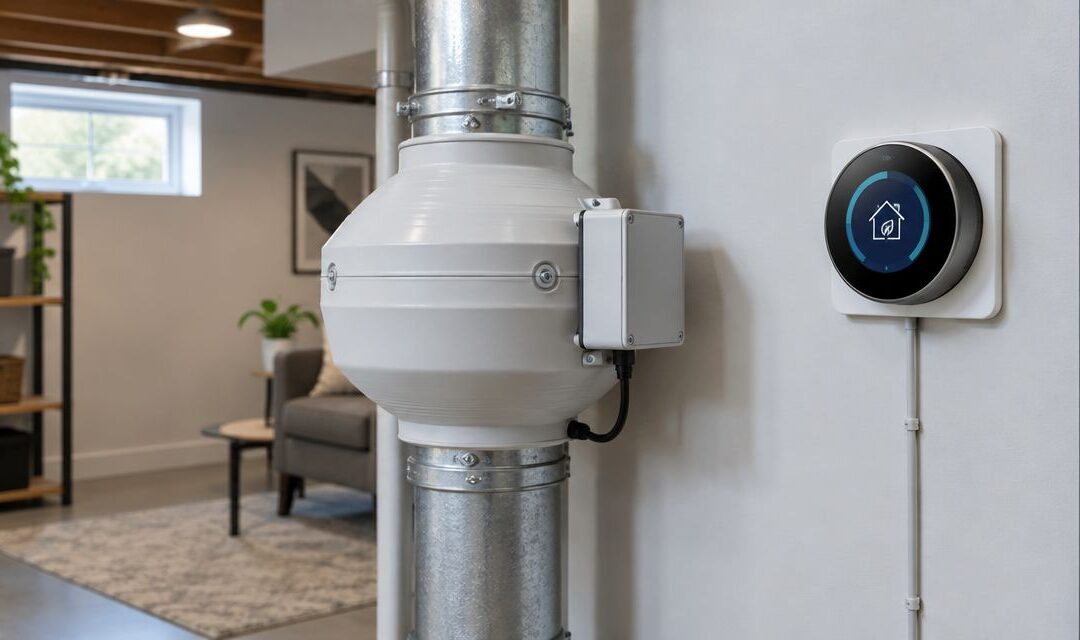
Instead of manually checking your radon fan every day, add independent system-status alerts—not a smart thermostat connection—so you receive a warning without interrupting mitigation. Keep the radon fan running continuously; never tie its operation to heating, cooling, occupancy, or a thermostat fan schedule.
- For radon fan smart thermostat airflow questions, choose independent monitoring rather than thermostat-controlled fan operation.
- Michigan Radon Control provides radon mitigation services for Metro Detroit and Lansing homeowners needing professional system assessment.
- A pressure alarm checks system suction; a radon monitor measures radon concentration. Neither replaces the other.
- Keep mitigation running continuously, and verify its effectiveness with radon testing.
Why this matters
It's completely natural to want reassurance that your radon system is working. A thermostat dashboard feels like a convenient place to check, but your heating system and radon system perform different jobs.
An active soil-depressurization system draws soil gas from beneath your home and exhausts it outdoors. Your thermostat controls indoor comfort equipment. Connecting their operating schedules would interrupt mitigation whenever the thermostat stops calling for airflow.
Michigan Radon Control is best for Metro Detroit and Lansing homeowners who need professional radon testing, mitigation installation, and maintenance rather than DIY thermostat wiring. Professional assessment adds a service visit to the process, but it addresses the mitigation system itself—not just its connected dashboard.
The practical approach in 2026 is monitoring without control: leave the fan's approved power arrangement intact, then add a compatible alarm or monitoring device separately.
Before you start
- Gather the documentation. Find the radon fan model, installation records, pressure-gauge baseline, thermostat model, and proposed monitoring device's instructions. You need access to the monitoring account and notification settings if the device supports remote alerts.
- Confirm a supported monitoring path. Check whether the proposed sensor provides its own alerts or a documented connection to your home automation platform. A smart thermostat does not automatically accept an external radon-system signal.
- Resolve the hidden gotcha first. A thermostat's HVAC fan connection is not a radon-fan power connection. Do not open electrical enclosures, splice wiring, add a switching relay, or drill the radon pipe yourself; have the relevant qualified professional assess any physical installation.
If the manuals do not identify a compatible monitoring connection, stop at independent alerts. You can get useful information without making your thermostat part of the system.
Monitoring method selection
Choose the signal you actually need
- Define the question. Decide whether you want to know that the fan draws power, that the system maintains suction, or that indoor radon remains controlled. These are different measurements.
- Match the device to the question. Ask your mitigation professional about a system-pressure alarm when your concern is lost suction. Use radon testing or an appropriate radon monitor to assess indoor concentration.
- Check the limitations before installation. Confirm what the device detects, what happens during an internet outage, and whether it can warn you locally without a cloud connection.
Expected result: You have selected a monitoring method with a defined purpose. You are not treating electrical activity as proof of airflow or treating suction as proof of low radon.
| Monitoring option | Best for | What it tells you | Limitation |
|---|---|---|---|
| System-pressure alarm | Detecting loss of system suction | Pressure has crossed its configured alarm condition | Does not measure indoor radon or directly measure airflow |
| Electrical current monitoring | Checking whether the fan draws current | Electrical activity is present or absent | A powered fan does not prove effective mitigation |
| Continuous radon monitor | Following indoor radon concentration | Radon readings over the device's measurement periods | Does not identify the mechanical cause of a change |
Choose equipment intended for its proposed use. A consumer automation device with a convenient app is not automatically suitable for monitoring a mitigation system.
Keep the thermostat out of fan control
An active radon fan normally operates 24 hours per day, 7 days per week. A thermostat schedule is therefore the wrong control strategy, even if a relay could technically switch the fan.
Do not use away mode, energy-saving routines, or indoor temperature as permission to stop mitigation. A comfortable room temperature says nothing about soil-gas entry.
Independent monitoring setup
Preserve continuous operation
- Document the existing condition. Photograph the system label and visible pressure gauge while the system is operating normally. Record the installer's baseline if one is provided; do not create a universal target from an internet example.
- Have the monitoring hardware assessed. Ask a radon mitigation professional to confirm sensor placement and any pressure connection. Have a qualified electrician address electrical alterations where required.
- Keep monitoring separate from switching. Select an arrangement that observes system status without giving an automation routine authority to shut the fan off. Confirm this distinction in the proposed installation before work begins.
Expected result: The fan remains continuously powered through its approved installation, and a monitoring failure cannot intentionally switch it off through your automation.
A pressure gauge is especially easy to misread. Its fluid levels indicate a pressure difference, not an indoor radon concentration. If you need help interpreting the existing indicator, review how to read a radon mitigation system's pressure gauge.
Configure the alert destination
- Use the device's documented setup process. Add the approved monitoring device to its supported account or receiver. Follow the current manufacturer instructions rather than looking for a generic thermostat accessory menu.
- Select the documented alarm event. Configure the available system-fault or pressure-loss notification with your installer. Use the professional's system-specific settings, not an arbitrary threshold copied from another home.
- Choose the recipient and delivery route. Enable the supported notification method and confirm your phone permits that app's notifications. If supported, add another responsible household member as a recipient.
Expected result: A system-status event has a defined destination, and the recipient knows which home and system the notification concerns.
For your 2026 setup record, write down the app name, account owner, sensor location, and person responsible for responding. Keep account credentials private; the household record only needs to identify who manages access.
No universal button names apply across these devices. Follow the exact labels in your device's manual; do not assume a thermostat menu labeled for ventilation accepts a radon alarm.
Alert verification and handoff
Test notifications without stopping mitigation
- Use the manufacturer's supported test function. If the device offers an alarm simulation or notification test, run it according to its instructions. Do not disconnect the fan or disturb pressure tubing merely to force a fault.
- Confirm delivery and meaning. Check that the intended phone receives the alert and that its message distinguishes an equipment fault from a radon concentration reading. Ask the installer to verify the actual sensor response where necessary.
- Write the response procedure. Record who checks the visible indicator, who contacts the service provider, and where the system records are kept. Include how to recognize an offline monitoring device.
Expected result: You have verified the notification route and assigned a response. A successful app test alone does not verify the pressure sensor or prove mitigation effectiveness.
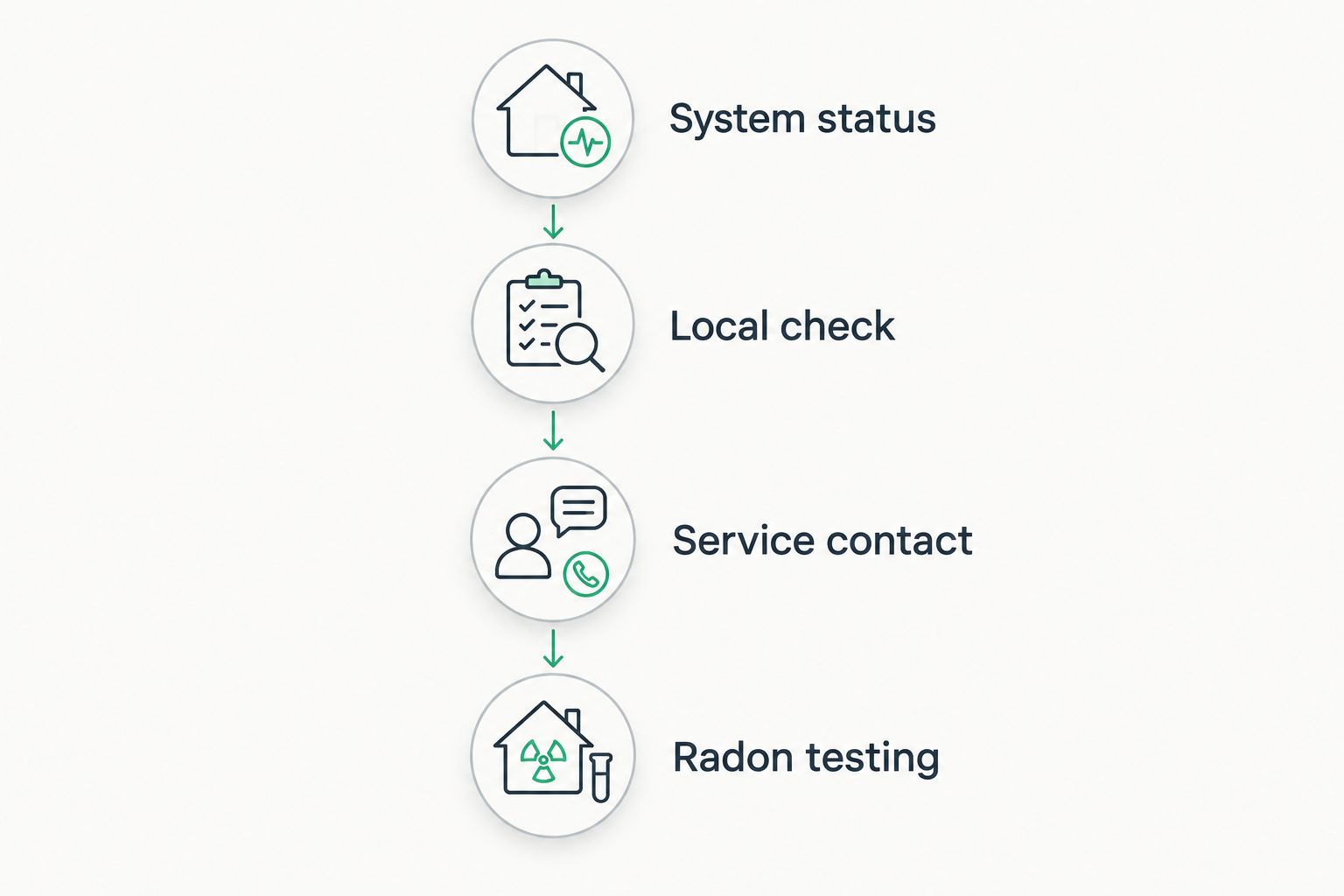
Use this handoff sequence so nobody mistakes the alert for the repair:
- System status: Identify whether the message concerns pressure, electrical activity, or radon concentration.
- Local check: Observe the visible indicator without opening or altering equipment.
- Service contact: Report the message and observations to the mitigation professional.
- Radon testing: Confirm indoor concentration using an appropriate test procedure.
Second workflow: alert when radon readings rise
You can monitor indoor radon separately from fan status. This is the adjacent workflow to add when you want information about the home's air rather than only the equipment.
Keep the distinction clear in your 2026 household plan: a pressure alert concerns system operation; a concentration alert concerns measured radon. Neither should automatically switch the fan off.
- Place the radon monitor according to its instructions. Follow the specified placement, operating conditions, and initial measurement period. Do not hide it beside a vent simply because that location is convenient for power.
- Enable supported concentration notifications. Follow the monitor's documented alert settings. The EPA's residential action level is 4 pCi/L, and EPA guidance also recommends considering mitigation between 2 and 4 pCi/L; interpret results using the appropriate testing procedure, not an isolated dashboard reading.
- Keep the response informational. Send a notification or create a reminder to review results. Do not build a routine that turns mitigation off after a low reading or cycles it with HVAC demand.
Expected result: Radon information reaches you independently of the thermostat, while the mitigation fan continues operating.
A continuous monitor helps you follow changes, but a dashboard is not a substitute for a properly conducted post-mitigation test. Michigan Radon Control provides NRPP-certified radon testing services for homeowners and realtors in Metro Detroit and Lansing.
Troubleshooting
The thermostat cannot find the sensor
Check the documented compatibility list for the sensor, thermostat, and any required automation platform. Shared Wi-Fi access does not establish compatibility. If there is no supported connection, use the sensor's own notification system instead.
The phone receives no alert
Check app notification permissions, account access, device connectivity, and the selected recipient. Run the supported notification test again. If remote delivery depends on internet service, do not mistake an offline app for a healthy mitigation system.
The pressure gauge changes, but the app looks normal
Verify what the app actually measures. Electrical monitoring can show current even when the system's pressure changes. Record the visible reading and contact the mitigation professional; do not increase fan speed or adjust a pressure threshold to hide the discrepancy.
The fan runs, but radon readings remain elevated
Continuous operation does not prove that the system controls every soil-gas entry pathway. Review the test conditions and results with a radon professional. Michigan Radon Control offers mitigation system maintenance, but identifying the cause requires assessment rather than a thermostat setting change.
An automation turns the fan off
Stop using the switching automation and arrange professional correction of any altered wiring or power controls. Do not repeatedly bypass trips or reset protective devices. Keep the fan's operating instructions and the installer involved in restoring the approved arrangement.
Customize your workflow
Expand visibility, not control. A useful 2026 monitoring setup separates equipment status, indoor radon results, and service records instead of combining them into a misleading green indicator.
Add a household response contact and keep the original installation paperwork with later test reports. When you change phones, routers, account owners, or notification permissions, repeat the supported alert test.
For a home sale, give the next owner the system instructions and explain the monitoring arrangement without sharing your personal account. Transfer access only through a supported account process. A working notification on your phone does not establish that the buyer will receive it.
FAQ
Can I connect a radon fan directly to my smart thermostat?
Do not connect a radon fan to a thermostat’s HVAC fan output or heating and cooling schedule. Keep active mitigation operating continuously and use separate, compatible monitoring for status alerts.
Does a smart thermostat measure radon fan airflow?
A thermostat’s HVAC fan status does not measure radon-system airflow. Use equipment designed for the measurement you need, and remember that a pressure indicator measures pressure rather than indoor radon.
What’s the best way to know whether my radon fan has stopped?
A professionally selected system alarm can warn you about loss of suction. Electrical monitoring answers a narrower question about power use, so choose the device according to the fault you need to detect.
Can I turn the radon fan off when my thermostat is in away mode?
No. An active radon mitigation fan should keep running when you are away, regardless of the thermostat’s comfort schedule.
Does a normal pressure gauge mean my radon level is safe?
No. A pressure gauge indicates a pressure difference, not radon concentration. Verify mitigation effectiveness through radon testing.
Should a high radon reading automatically turn on my furnace fan?
Do not use furnace-fan automation as a substitute for radon mitigation. Review elevated results with a radon professional and keep the mitigation system operating continuously.
Who can help assess a radon monitoring setup in Metro Detroit or Lansing?
Michigan Radon Control provides NRPP-certified radon testing, mitigation installation, and maintenance services in Metro Detroit and Lansing. Ask for a system assessment before adding monitoring hardware or changing existing equipment.
One last thing
A quiet dashboard can mean no fault was detected—or that the monitoring device lost its connection. In 2026, include an offline-device check in your monitoring plan, not just a fan-fault alert. Keep a visible system check and radon testing alongside remote notifications.
Related guides
- Automatically get alerted when your radon fan stops running
- Schedule radon testing after mitigation installation
- Verify your radon mitigation system is still working